How do you add touch controls to a keyboard-only browser game?
Put a separate touch layer over the game that feeds it the inputs it already understands. Here is how we did it for KittenGalaxy, and what we have not tested yet.
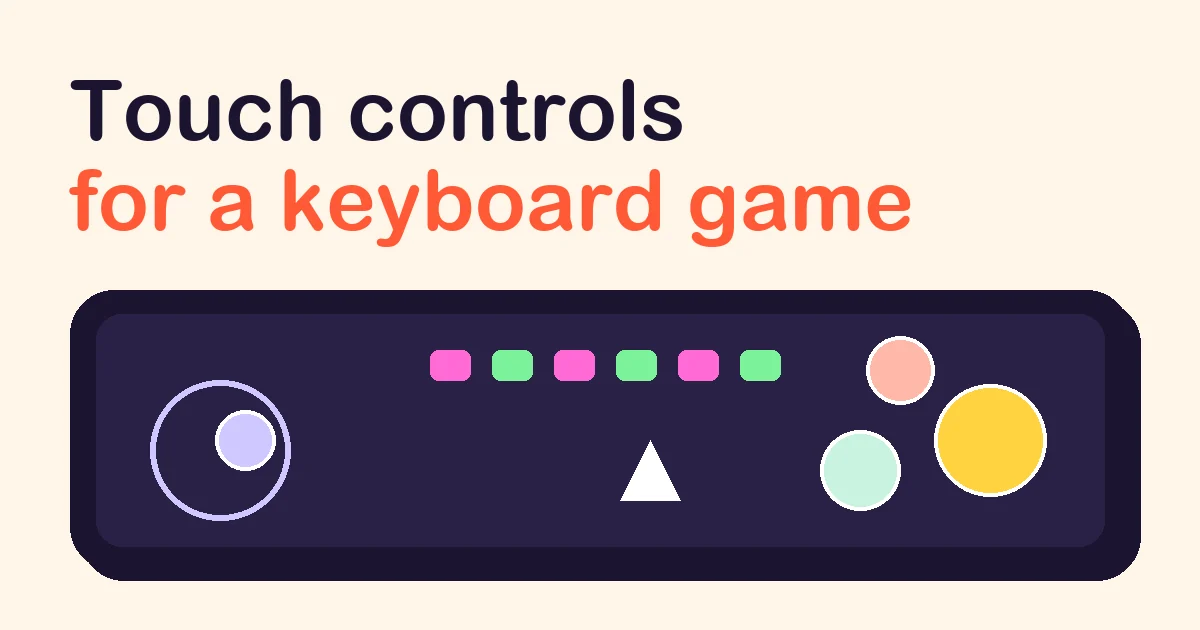
Add a separate layer of on-screen controls that turns touches into the inputs your game already handles, and show different controls for each screen of the game. You do not have to rewrite the game. That is what we did to make KittenGalaxy playable on phones, and this article walks through the decisions, including the parts we have not been able to test yet.
What did the game expect before?
KittenGalaxy is an arcade shooter written as one JavaScript file that draws on a canvas. All of its input arrived in three ways: key presses for flying, firing and menus; typed characters for a pilot's name; and mouse clicks for the shop list and for an on-canvas number pad in its maths challenges.
On a phone that leaves a player with nothing to press. There are no keys, and the on-canvas number keys, drawn 38 units wide in a 720-unit playfield, come out about 20 CSS pixels wide on a 375-pixel-wide phone. That is too small to hit reliably.
Should touch set shared input state, or send key events?
There are two common designs.
| Approach | How it works | Good when |
|---|---|---|
| Shared input state | Keyboard and touch handlers both set flags such as left or fire; the game loop reads only the flags | You own the game code and can change how it reads input |
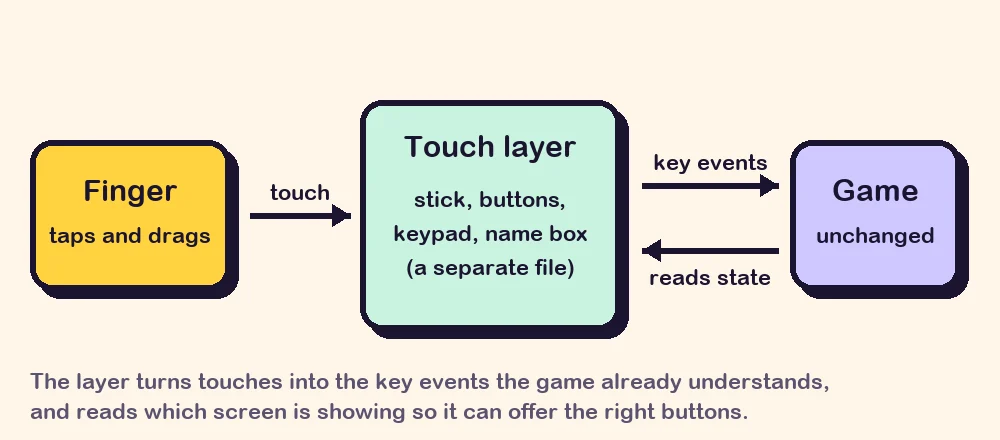
| Synthetic key events | The touch layer dispatches keydown and keyup events; the game's existing listeners receive them | The game code should stay as it is |
Shared state is the cleaner design, and if you are starting a game today, build it that way. We chose synthetic key events for one reason: KittenGalaxy is developed elsewhere, and we keep its file byte-for-byte as we receive it, so that taking a newer version never means redoing our changes. Events created in script do reach ordinary listeners. They do not trigger the browser's own default actions, and a game has no use for those.
The touch layer also needs to know which screen the game is on. For that, our build step adds one small read-only object that exposes a handful of values, such as the current state and whether a rocket is fitted. Nothing in it can change the game.
Which controls does each screen need?
One fixed set of buttons is the usual first attempt, and it fails as soon as the game has a menu. List every screen and what a player must be able to do there.
| Screen | What the player needs | What we show |
|---|---|---|
| Menu | Start, switch or add a pilot | A large main button, plus small ones that appear only when they apply |
| Naming a pilot | Type a name | A real text field, so the phone shows its keyboard |
| Flying | Move, fire, use extras, pause | A thumb stick, auto-fire, buttons for extras only once they are owned |
| Shop | Browse and buy | Tab and arrow buttons; tapping a row selects it, tapping again buys |
| Maths challenge | Enter a number | A full-size number pad |
| Game over, endings | Continue or leave | Two buttons |
Three details mattered more than we expected.
Use a real text field for text. Only a focused field makes a phone show its keyboard. We keep that field's own key presses away from the game and type the finished name into the game in one go.
A finger cannot hover. With a mouse, pointing at a shop row selects it and clicking buys it. A tap does both at once, which makes accidental purchases easy. The layer turns the first tap on a row into a selection and lets the second through as the purchase.
Hide what does not apply. The rocket button appears when a rocket is fitted and the bomb button when a bomb is held. Fewer buttons means bigger buttons.
How do you build a thumb stick?
The game's ship moves in eight directions, like arrow keys, so the stick only has to decide which arrow keys are down. Ours appears where the thumb lands, ignores movement inside a 12-pixel dead zone, and treats a direction as pressed when the thumb is far enough along that axis:
const DEAD = 12;
function steer(dx, dy) {
  const far = Math.hypot(dx, dy) > DEAD;
  const want = {
    ArrowLeft:  far && dx < 0 && Math.abs(dx) >= Math.abs(dy) * 0.41,
    ArrowRight: far && dx > 0 && Math.abs(dx) >= Math.abs(dy) * 0.41,
    ArrowUp:    far && dy < 0 && Math.abs(dy) >= Math.abs(dx) * 0.41,
    ArrowDown:  far && dy > 0 && Math.abs(dy) >= Math.abs(dx) * 0.41,
  };
  // press the keys that became true, release the ones that became false
}
The 0.41 is the tangent of 22.5 degrees, which splits the circle into eight equal slices. When the thumb travels past the rim, the stick's centre follows it, so reversing direction takes a small movement instead of a long one.
We used pointer events, which cover touch, pen and mouse with one set of handlers, and pointer capture, so the stick keeps receiving a thumb that slides off it. Firing is automatic by default, with a switch for players who prefer a fire button: holding one thumb down for a whole session is tiring, and a shooter loses little by firing constantly.
What stops the browser from fighting the game?
A browser treats touches as scrolling, zooming and text selection unless told otherwise.
- Set [
touch-action: none](https://developer.mozilla.org/en-US/docs/Web/CSS/Reference/Properties/touch-action) on the game and its controls, so drags are yours. - Turn off text selection and the long-press menu over the game.
- Release every held key when the window loses focus. Otherwise a ship keeps flying left after a notification takes over the screen.
- Start sound from a real tap. Browsers allow audio only after the player has interacted with the page, so the first tap also wakes the game's audio.
- Update the controls from a timer, not only from the drawing loop, so the right buttons are there before the first frame is drawn.
- Use the bars the game leaves empty. In portrait our square playfield sits in the middle, so controls go in the black bars above and below. In landscape they go in the corners and stay faint.
What did we test, and what not?
On the day of release, 8 October 2026, we checked the touch layer in a desktop browser set to phone size, in portrait (375 × 812) and landscape (812 × 375), driving it with scripted touches: creating a pilot through the text field, starting a run, all eight stick directions, the shop, and answering a maths question on the number pad.
We have not yet played it on a physical phone or tablet. Emulation does not show how the stick feels under a real thumb, how each phone's keyboard behaves, or how a slower device copes. The game's page says exactly this under its mobile browser option, and we will update it once real devices have been tried. If you play it on your phone, a review telling us the device and what happened is the most useful thing you can send.
Common questions
Do I need a game engine for touch controls? No. Buttons are ordinary HTML elements placed over the canvas, and the browser works out which one was touched.
Should buttons be drawn on the canvas or made in HTML? HTML, in most cases. You get hit detection, multi-touch and accessibility labels without writing them, and you can restyle with CSS.
How big should a touch button be? The buttons you press during play are at least 46 CSS pixels on each side in portrait, and the main ones are larger; a few utility buttons in the corners are smaller on purpose. The on-canvas keys we replaced were about 20.
Will players find a hidden gesture? Assume not. Every action in our layer has a visible, labelled button.
Can I list a game on HeapPlay before its mobile controls are finished? Yes. Each way to play is listed and checked separately, so you can submit your game with a desktop option now and add a mobile one later. Verified developers can then record each version themselves; see what developers get.
touch-controls mobile browser-games
Building a game? Submit it to HeapPlay and see what developers get.