Why do players leave in the first minute, and how can you tell?
Usually a slow start, an unclear first screen or a first try with no reward. Count how many visitors reach each of five steps, then watch one new player.
Mostly for one of three reasons: the game took too long to appear, the first screen did not say what to do, or the first try ended before anything good happened. You can tell which one by counting how many visitors reach each of five steps, from "page opened" to "second try", and by watching one new person play while you say nothing. The counts show where people leave. Only watching shows why.
What happens in the first minute of a browser game?
Four short waits, one after another. A player who opened your game from a link has paid nothing and installed nothing, so leaving costs them one tap. At each wait they decide again.
| Stretch | What the player is waiting for | Why they leave here |
|---|---|---|
| Page opened to game visible | Something to appear | A blank screen, a long load, an error |
| Game visible to first input | To understand what to do | A wall of text, a form, controls made for another device |
| First input to first goal | To feel in control | The game ends before they see why, or nothing answers their input |
| First goal to second try | A reason to go on | A slow restart, the same thing again, lost progress |
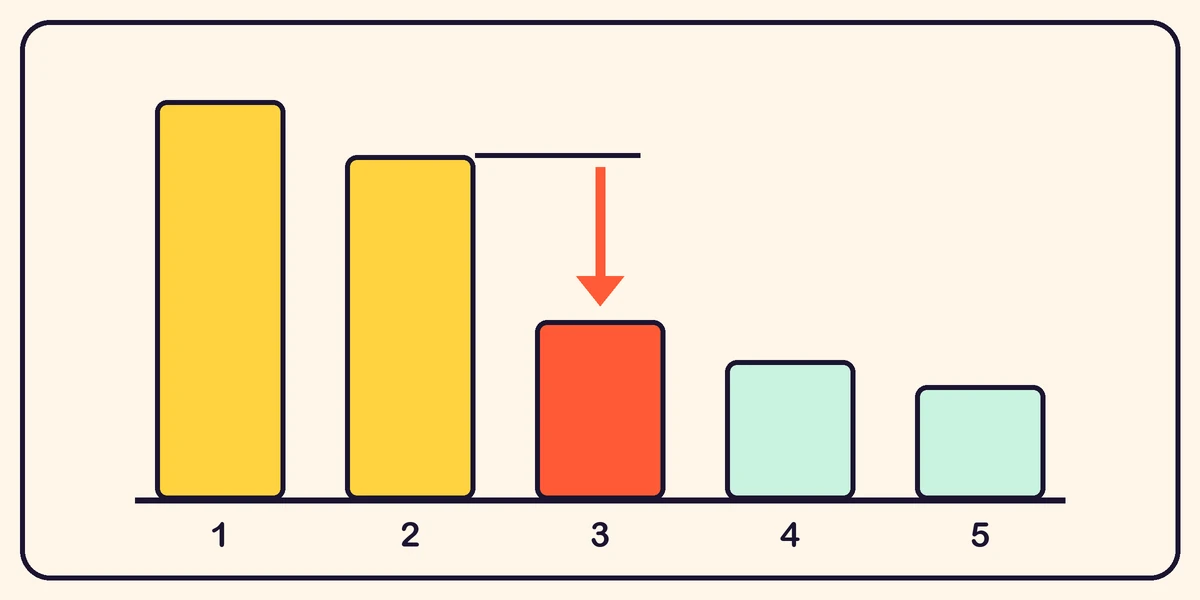
The five steps that separate these stretches are the ones worth counting: opened, visible, first input, first goal, second try.
Why do players leave before the game appears?
Because nothing has told them it is coming. For web pages in general, Google's guidance on Largest Contentful Paint (page last updated on 4 September 2025, read on 15 November 2026) is that the largest visible element should be drawn within 2.5 seconds for at least 75% of page loads, counted separately for phones and computers. That is a threshold for pages, not a measured limit of a player's patience, but it is a reasonable target for the moment your game's first screen is drawn.
- Draw something at once: the title, one sentence about the aim, a progress bar that moves.
- Load the first level only. Music, later levels and large pictures can arrive while the player is on the first screen.
- Show an error in words if loading fails. A blank screen looks the same as a slow one.
Why do they leave on the first screen?
Because it asks for something before it gives anything.
- One action. A large "Play" button. Settings, credits and the level list can wait.
- No form before play. A name, an account or an email address, if you need them at all, come after the first game.
- Controls for the device in the player's hand. A phone visitor told to press Space will leave. Touch controls for a keyboard game covers the buttons.
- Teaching by doing. The first level is the tutorial: one new thing at a time, each used the moment it is explained.
Some first-screen faults are plain bugs. Tycoon Island 0.1.0, a board game hosted on HeapPlay, shipped with a "How to play" sheet that opened hidden under the title screen, so a new player who pressed it saw nothing. Inside HeapPlay's own page, where the game runs in a frame of about 1140 by 640, its "Play!" button covered the digits of the room code a second player needed. Both were fixed in 0.2.0. No count would have named either cause; someone had to look at the screen. A written play route, described in testing without a test team, is where such checks belong.
Why do they leave after the first try?
Because the first try taught them nothing or promised nothing. Three things to check:
- The player can see why the try ended. If they cannot, they blame the game, not themselves.
- The restart is one press and immediate. A menu between two tries is a place to leave.
- The second try differs from the first. A score to beat, a new obstacle, a visible next level.
A small game makes all three easier to get right; see how small a first game should be.
How can you tell where they left without tracking people?
Count steps, not people. Each time a visitor reaches a step for the first time on that page load, add one to that step's number on your own server. No cookie, no identifier, nothing about the visitor is stored.
// Example: count each step once per page load.
const sent = new Set();
function step(name) {
  if (sent.has(name)) return;
  sent.add(name);
  navigator.sendBeacon("/count", name);
}
step("opened");
// step("visible")      when the first screen is drawn
// step("first_input")  on the first key press or touch
// step("first_goal")   when the first level or round ends
// step("second_try")   on the first restart
This is an example. /count stands for an address on your own server that adds one to the named number; a game hosted as plain files has nowhere to send to, and then watching people is your only method. Send each step when it happens, not at the end. If you do send a summary at the end, MDN's page on the visibilitychange event (last modified on 26 October 2026) says the change to hidden is "the last event that's reliably observable by the page", and its own example uses sendBeacon there.
Then read the five numbers from left to right. The largest fall between two neighbours is your first problem. The limits are plain: a visitor who reloads is counted twice, and a number says nothing about who they were.
If you use a ready-made analytics tool instead, read what it stores about each visitor and what it requires you to ask them first.
What do the counts not tell you?
Why. A fall between "visible" and "first input" may be a hidden button, a confusing sentence or a phone without a keyboard, and the number is the same for all three.
So watch one person who has never seen the game. Give them the link and nothing else. Do not explain, do not point. Note where they stop, what they press that does nothing, and what they say aloud. One person watched in silence can explain a fall that the numbers only measure.
Small numbers also mislead. With twenty visitors, one person is five points of a percentage, so a change from one day to the next may be chance.
What can you see on HeapPlay?
For a game hosted here, the game's page shows a plays figure: the number of confirmed starts, one per visitor per day, shown once there are at least ten. As the About page says, it is a count of starts, not of people and not of time played. It tells you the game began, not how the first minute went.
Reviews help with the why. A reviewer can say how they played and which version, and the page shows separately what their browser reported: computer or phone, system, browser. A verified developer can read a game's published reviews through an API, described on the developers' page.
What do you fix first?
The earliest large fall. A player lost at the first step never sees your improved level three.
Change one thing, release it, and compare the same two numbers before and after. If you change the loading screen, the first sentence and the controls together, you will not know which one helped.
Common questions
Is there a normal share of players who leave in the first minute? None that we could trace to its source for small browser games. Figures from analytics companies are widely repeated, mostly for mobile games. Compare your game with itself, before and after a change.
Should I add a tutorial? Only if watching shows people do not understand. A tutorial is one more screen before play; a first level that teaches is usually shorter.
Can I ask the players who left? No, they are gone. Ask those who stayed what nearly made them stop, and read reviews for the device they played on.
How many visitors do I need before I trust the counts? There is no fixed number. Wait until the fall you see is many people, not two or three, and watch a person in the meantime.
Building a game? Submit it to HeapPlay and see what developers get.