How do you write a task for an AI assistant that you can review?
Ask for one change, say where it goes and what must not change, give a check that passes or fails, and ask for a report of what was done.
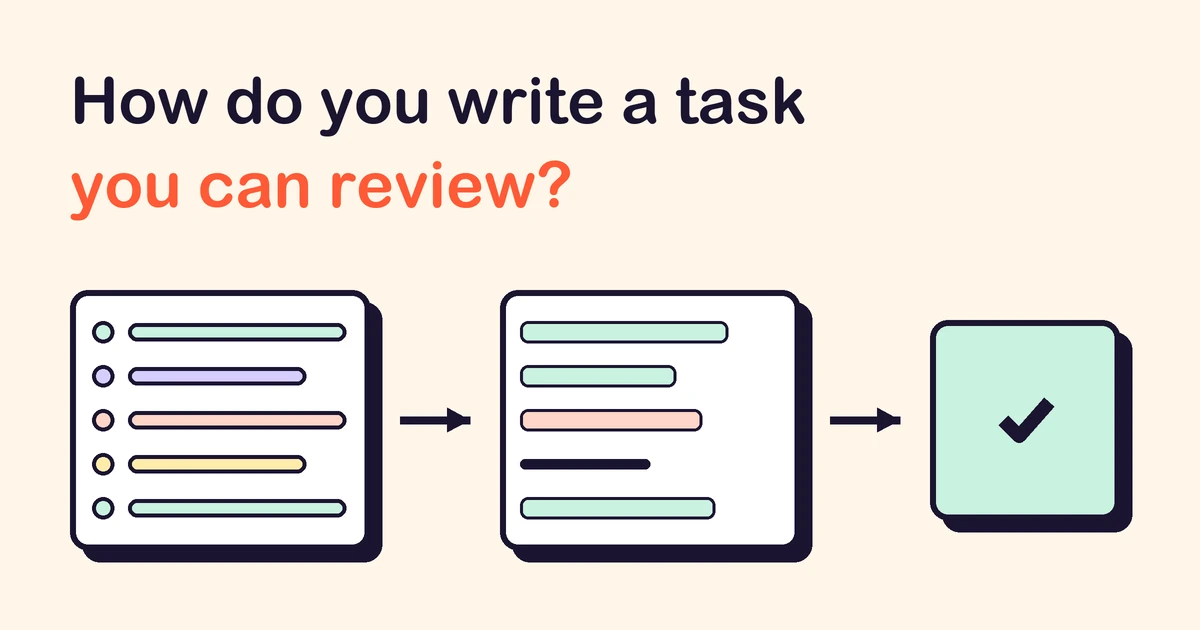
Ask for one change, small enough that you can try it in a few minutes. Say where it goes, what must stay as it is, how to check that it works, and what you want to hear back. A task written like that comes back as something you can judge: a short list of changed files, a check that passed or failed, and a game you can play to confirm it. A vague task comes back as a large change that "looks done", and then the checking is all yours.
What makes a task reviewable?
Five parts. Most tasks need all of them, and each one fits in a sentence or two.
| Part | What to write | Why it helps the review |
|---|---|---|
| 1. The change | One thing the game should do differently | You can tell whether it happened |
| 2. Where | The file, screen or function it belongs to | The change stays in one place |
| 3. What must not change | Controls, saves, other screens, libraries | Anything outside the list stands out |
| 4. The check | A test, a command, or steps to play | It gives a pass or a fail, not an impression |
| 5. The report | Files changed, checks run, what was not tested | You read evidence instead of repeating the work |
None of this is new advice. GitHub's guide to writing prompts for Copilot asks for a simple, specific request broken into steps, with an example or two of what you expect. The best practices for Claude Code put a check the assistant can run first, because without one "looks done" is the only signal it has. Both pages read that way on 25 October 2026. What follows applies them to a small game.
How small should one task be?
Small enough that you can describe the change in one sentence and try it in a few minutes. "Add a pause screen" is one task. "Add a pause screen, a settings menu and sound" is three, and when something breaks you will not know which of them did it.
If a task needs a longer description, ask for a plan first and keep the code for later. The Claude Code page suggests exactly that: let the assistant read the code and propose which files would change, read the plan yourself, and only then let it write. A plan that touches half the project is a sign the task should be split.
This is the same rule as keeping your first game small: every feature has to work with every other one, so a task that adds three of them multiplies the checking.
What does a vague task look like next to a reviewable one?
Here is one request for a small shooter, written twice.
| Vague | Reviewable |
|---|---|
| "Make the game harder." | "In the wave code, make each new wave 10% faster than the one before, up to twice the starting speed. Do not change the player's speed, lives or controls." |
| "Fix the score bug." | "After a restart the score starts at the old score instead of 0. Find where restart resets the game, make it reset the score too, and add a test that restarts twice and expects 0." |
| "Add mobile controls." | "On touch screens, show left, right and fire buttons that send the same key events as the keyboard. Keyboard play must not change. Tell me which screens still have no touch control." |
The right-hand column is longer, but each line is something you can check. The third one is close to what we did when we added touch controls to KittenGalaxy: the buttons send the key events the keyboard would, so the game itself did not need to change.
How do you tell the assistant how to check its work?
Give it something that answers yes or no.
- A test the assistant can run, with the cases spelled out: "a restart sets the score to 0".
- A command whose result can be read: the build finishes, the page loads with no errors in the console.
- Steps you will play yourself, written down before the change: "start, lose all lives, press restart, the score shows 0".
Ask the assistant to run the check and show the output, not to say that it passed. A pasted test result or error-free console log takes seconds to read; a sentence saying "everything works" proves nothing.
Some things only a person can judge: whether a jump feels right, or whether a level is fair. For those, write what you will look at and play it yourself. Do not let the assistant's report stand in for that.
What should the assistant tell you when it is done?
Ask for a short report in the same task, in this order:
- which files changed, and in one line each, why;
- which checks it ran and what they returned;
- what it did not test, and why;
- anything it changed that you did not ask for.
The last item matters most. A change beyond the request is not always wrong, but it is always something you did not plan to review. Compare the list of files with part 3 of your task: a file that should not have changed is where to look first.
What belongs in a project file rather than in every task?
Anything you would otherwise repeat: how to run the game and the tests, the folders that must not be touched, the rules of the code. Most assistants read such a file at the start of a session (Claude Code calls it CLAUDE.md). Keep it short; the Claude Code page warns that in a long file the important rules get lost.
A rule earns its place there when forgetting it breaks the game. The notes we keep for KittenGalaxy say that whenever a key, a screen or a game state is added, its touch control is added in the same change, because otherwise phone players cannot reach it. A task then only has to say what is new.
What do you do when the result is wrong?
Go back, then ask again with a better task.
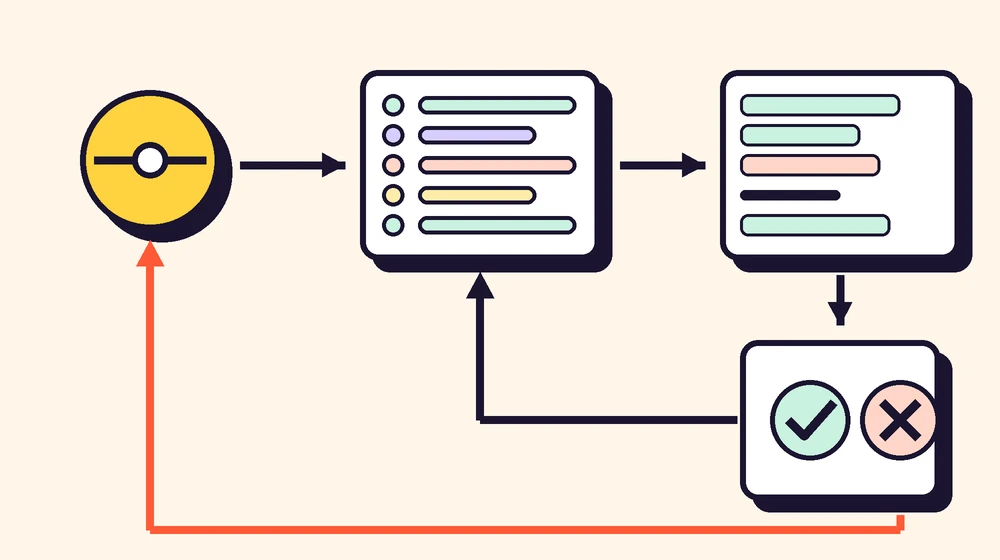
Save a working version before each task, as a commit in version control, so that a bad change can be undone in one step. When a check fails, you can ask for a fix once or twice. If two corrections fail, the Claude Code page suggests starting a fresh session with a better first request rather than correcting again and again, because the failed attempts stay in the conversation. Undo the change, add to the task what you have learned, and send it again.
Common questions
Do I need to be a programmer to write tasks like this? No. Parts 1, 3 and 5 are about what the game does, in plain words. For part 2, ask the assistant where the change belongs before you ask it to make the change.
Is a long task better than a short one? Not by itself. A long task that asks for many changes is harder to review than a short one that asks for one. Length helps when it adds a check or a limit.
Should I ask for tests in a small game? For rules that can be stated exactly (the score, lives, a timer, saves), yes. They are cheap to run after every later change. Feel and fun still need playing.
What if the assistant asks me questions? Answer them in the task before it starts writing. A question asked early costs less than a wrong change.
When is the game ready to show people? When a stranger can start it from a link and finish it without your help. Then you can submit it to HeapPlay, and verified developers can record each new version and what changed.
ai-assistants workflow testing
Building a game? Submit it to HeapPlay and see what developers get.