What should you commit, and how do you undo a bad change?
Commit everything you made and nothing a tool can rebuild, save one working change at a time, and undo an older mistake with git revert.
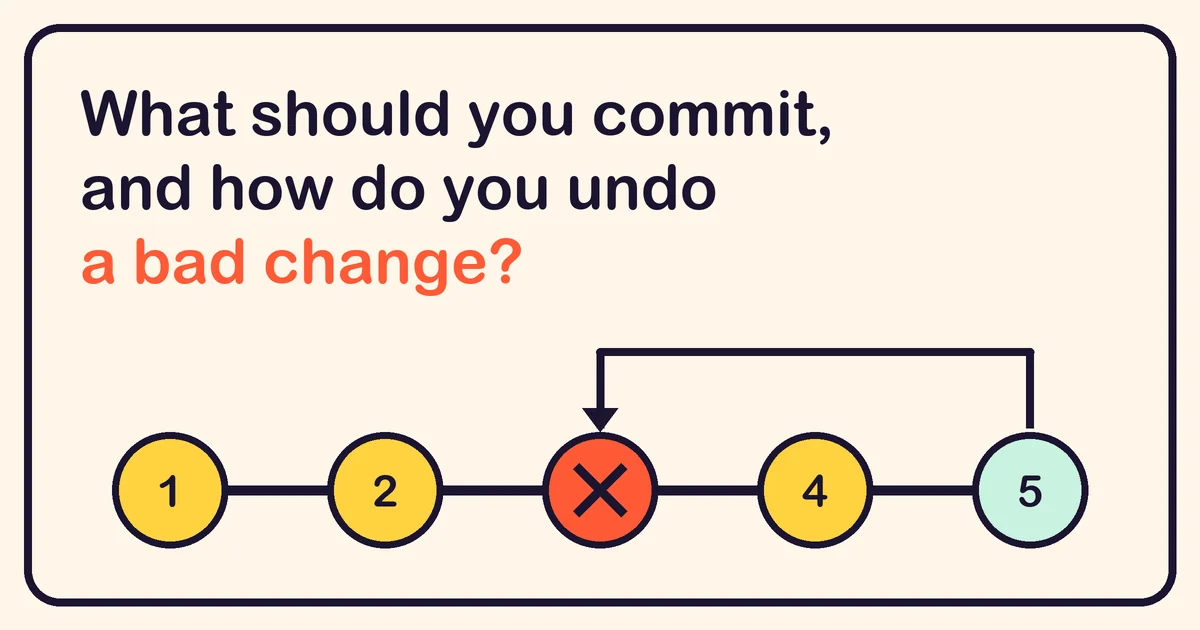
Commit everything you made by hand or would miss if it were gone: code, art, sound, levels, settings and notes. Leave out what a tool can rebuild and anything secret. Make a commit each time the game works and a change is finished. To undo a change that is not committed yet, use git restore; to undo an older one, find it with git log and cancel it with git revert, which keeps your history and adds a new commit.
We tried the commands below on 1 November 2026 in a small throwaway repository with Git 2.39.5, not on a real game, and git bisect only as far as its first step. The manuals we checked them against are for Git 2.56.
What belongs in the repository from day one?
Ask one question of each file: if it vanished, could a command bring it back exactly? If not, commit it.
| Kind of file | Commit it? | Why |
|---|---|---|
| Code, shaders, level and game data | Yes | This is the game |
| Art, sound and fonts you are allowed to use | Yes | Without them the game does not run |
| Package list and lock file | Yes | They say which versions the game was built with |
| Notes and instructions for your assistant | Yes | The next task depends on them |
| Downloaded packages, build output, engine caches | No | A command can rebuild them |
| Logs and temporary files | No | They change constantly and mean nothing later |
Passwords, API keys, .env files | Never | A commit keeps them in the history |
Large files need a thought if you use a hosting service. On 1 November 2026, GitHub's documentation said it warns above 50 MiB and blocks files above 100 MiB, and that larger files need Git Large File Storage. A small browser game rarely gets near that; a folder of raw video can.
How do you start, so that nothing wrong gets in?
Write the ignore file before the first commit. A .gitignore lists what Git should leave out. For a small browser game it can be this short:
node_modules/
dist/
.env
*.log
A pattern ending in / matches only a folder, and * matches anything except a slash; the gitignore manual gives the full rules. If you use an engine, start from its template in GitHub's public github/gitignore collection, which includes one for Godot, rather than from memory.
Then make the first commit and read what it will contain before you confirm it:
git init
git add .
git status
git commit -m "First playable version"
git status lists what is about to be saved. In our test, .env and dist/ did not appear, which is what you want to see. If a file you meant to leave out is listed, stop and fix the ignore file first.
What if the wrong file is already committed?
Adding a file to .gitignore does not affect a file Git already tracks; in our test, Git went on reporting changes to it. Remove it from tracking and keep it on your disk:
git rm --cached path/to/fileThen add its name to .gitignore and commit. Older commits still contain it. That matters for secrets: GitHub's documentation on removing sensitive data says to revoke or replace the secret first, and warns that rewriting history alone may leave it reachable elsewhere. Treat a committed key as exposed, and make a new one.
How often should you commit when an assistant does the work?
Once before each task and once after each change you have reviewed and decided to keep. A commit should hold one change that you can describe in a sentence, and the game should run at that commit. This is why a task with one testable change helps: one task, one commit, one thing to undo.
Write messages in the player's words, because you will search them later. "Enemies no longer spawn inside walls" can be found in three weeks. "Fix bug" cannot.
A commit lives only on your computer until you send it elsewhere. Push to a private remote repository at the end of each session, so that a lost laptop or a bad command cannot take the only copy.
How do you find the commit that broke the game?
Start by reading the list, newest first, optionally for one file:
git log --oneline
git log --oneline -- path/to/file
If the messages do not settle it, look at an older version without changing anything. Commit or undo your current work first, then:
git switch --detach abc1234
git switch -
The first line puts the files as they were at that commit, using the short code from git log; play the game there. The second line brings you back to your branch.
With many commits between a good version and a bad one, git bisect does the choosing. You run git bisect start, then git bisect bad, then git bisect good with the code of a commit that worked. Git picks a commit halfway between them; you play it and answer git bisect good or git bisect bad, until it names the first bad commit. git bisect reset ends the search and returns you to where you started.
How do you undo an older commit?
Use git revert with that commit's code:
git revert --no-edit abc1234The git revert manual says it records new commits that reverse earlier ones; --no-edit keeps the standard message instead of opening an editor. Nothing is erased: the mistake and its undoing both stay in the history, and the later commits stay in place. The manual also asks for a clean working tree, so commit or undo your current work first.
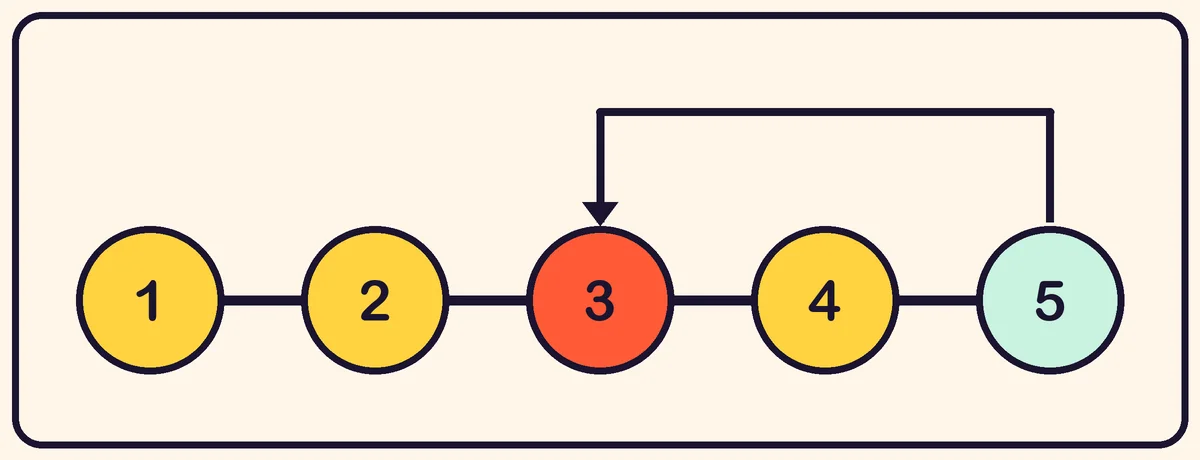
The undo is not always clean. If a later commit changed the same lines, Git stops and reports a conflict, as it did in our test. You can then fix the file and run git revert --continue, or back out with git revert --abort, which returned our test to where it started. Either way, play the game afterwards: Git knows about lines, not about whether the game still works.
To take one file back to an older version rather than undoing a whole commit, use git restore --source=abc1234 path/to/file, then review and commit it like any other change.
Which commands should an assistant not run on its own?
Those that discard work or rewrite history. The manual for git reset says --hard overwrites files with the version from the chosen commit and may overwrite untracked files; git push --force can replace what is on the remote. Say so in your project's standing instructions: the assistant may read history and propose commands, and these two wait for you.
If a reset has already happened, git reflog lists where your branch has recently been. In our test, it let us go back to a commit that had disappeared from git log. It cannot bring back changes that were never committed, which is one more reason to commit before each task.
Common questions
Do I need GitHub? No. Git works on your computer alone. A remote repository adds a copy elsewhere, and any provider you trust will do.
Is an editor's undo or checkpoint enough? It helps within a session, within the limits the editor describes. Git keeps your history across sessions and tools, and it also sees changes made by commands.
Should I use branches when I work alone? For a large or risky change, yes; for small tasks, committing on one branch is enough. Keep the setup as small as the game.
Revert or reset? Prefer revert when you are unsure, and always once a commit has been pushed. It adds to the history instead of changing it.
How do I mark a version that works? Use git tag, for example git tag first-public-version, when you release it. You can then return to that name instead of hunting for a code.
version-control ai-assistants workflow
Building a game? Submit it to HeapPlay and see what developers get.